
TagSmith for Windows

Batch metadata editing for photos and videos

View, sort, and safely batch-edit photo and video metadata – timestamps, GPS, IPTC keywords, and location – with live before/after previews. Works entirely offline by default.
Free Offline by default No account required
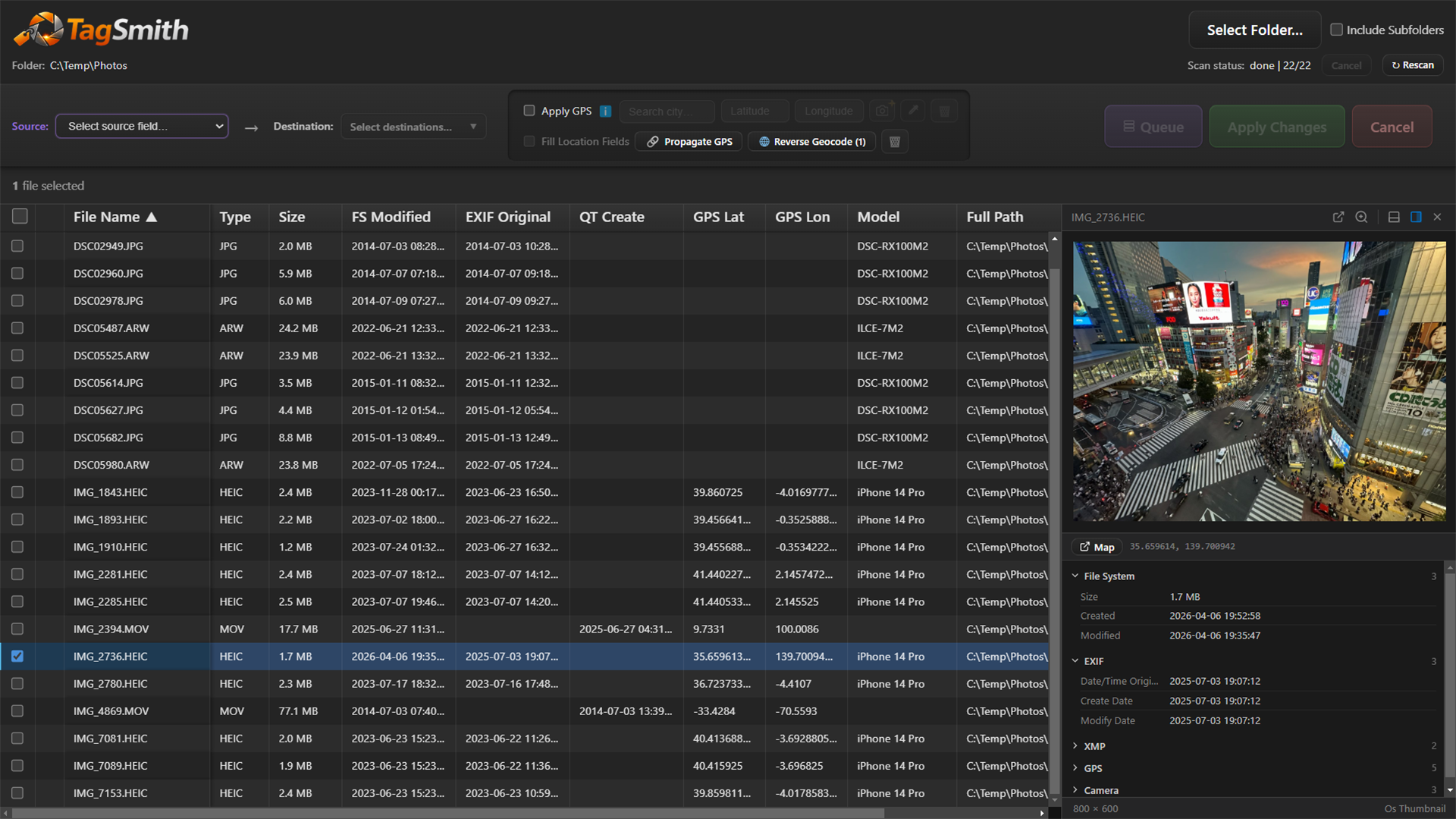
TagSmith metadata table showing before and after values with live preview pane

What it does

Sort + live preview

Browse and sort files by any metadata field with instant image and video previews

Edit timestamps

Batch-edit EXIF, XMP, QuickTime, and filesystem timestamps – or double-click any date cell to edit inline

GPS + location

Look up GPS from 68,000 offline cities, propagate coordinates from phone to DSLR by timestamp, and reverse-geocode to city text

IPTC keywords & location

Add, edit, or remove keywords and structured location fields – written to both XMP and IPTC groups for DAM compatibility

Recover dates from filenames

Extract capture dates from structured filenames using flexible token patterns – useful for WhatsApp photos, screenshots, and scans

AI landmark identification

Identify landmarks and batch-geotag using Google Gemini and Google Places – optional, requires your own API key

Who it's for

  • Photographers fixing or syncing camera clock timestamps
  • Video creators correcting QuickTime capture dates
  • SLR users geotagging with a phone's GPS trail
  • Stock photographers and archivists adding IPTC keywords and structured location data
  • Anyone recovering dates from filename-only scans or WhatsApp exports
  • Anyone who wants metadata control without command-line tools

Privacy-first by default

  • Runs locally by default
  • No tracking or required accounts
  • Preview changes before writing
  • Available on the Microsoft Store

Screenshots

Click any image to enlarge.

View and sort photos and videos by every metadata field with live image and video previews
Double-click any date cell to edit it inline – quick to fix, quick to copy-paste across files
Use the eyedropper tool to copy a date, time, or GPS from one file and stamp it across hundreds at once
Fix photos taken with the wrong camera clock – shift all timestamps by hours, minutes, or seconds
Geotag an entire trip from your phone's GPS trail using timestamp proximity
Add GPS and location text to photos using a built-in offline database of 68,000 cities
Convert GPS coordinates into city and country text – works entirely offline, powered by ExifTool
Add, remove, or clear keywords surgically – without overwriting existing tags
Recover dates from filenames using flexible token patterns – works with WhatsApp photos, screenshots, and scanned prints
Power-user keyboard controls inspired by Norton Commander – navigate and select without touching the mouse
Identify landmarks in a single photo using Google Gemini and refine coordinates via Google Places (optional, requires your own API key)
Run landmark identification across a whole folder with pause, resume, and results review (optional, requires your own API key)